
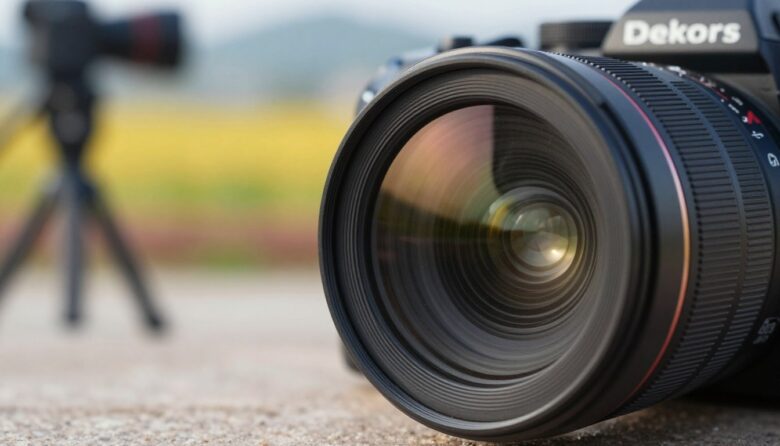
I write from hands-on experience with a Retina IIc rangefinder camera. I found that even when I focus carefully, tiny wave effects can soften images at small openings. This taught me to treat aperture choices as a core part of my craft.
Primes often outperform zooms because they are optimized for a set focal length. Their design gives better image quality in many cases. I learned that stopping down past f/11 on 35mm film makes the issue obvious.
How I learned to balance sharpness without overthinking it
When I first started paying attention to sharpness, I made the classic mistake of always stopping down as much as possible, thinking it would automatically improve my photos. In reality, I began to notice that some images looked slightly soft even though everything was technically “in focus.” That’s when I realized that using smaller apertures isn’t always better, especially when you go too far.
From my experience, the real improvement came when I stopped chasing extremes and started testing my own gear. Each camera and lens behaves a bit differently, and once I found the range where my images looked the cleanest, everything became more consistent. I don’t aim for perfection anymore—I aim for reliable results that match the situation I’m shooting.
I used to think sharpness was about pushing settings to the limit, but it’s really about knowing where the limit is.
If I had to give one practical tip, it would be this: don’t rely on theory alone—test your own setup. Take a few shots of the same scene at different apertures and compare them calmly. This simple habit helped me understand exactly when my images start losing detail and made my decisions much easier in real shoots.
In the end, improving image quality isn’t about complicated rules—it’s about observation, patience, and learning how your equipment reacts in real conditions.
I balance shutter speed, aperture, and stops to protect image quality in varied light. The diffraction limit is a physical reality for every camera and sensor size. By managing these factors, I aim to get the best resolution and final frame quality.
Key Takeaways
- Primes are tuned for one focal length, which often boosts final image quality.
- Small apertures like f/11 can introduce noticeable softness on 35mm film.
- Balance shutter speed and aperture to preserve resolution in changing light.
- The diffraction limit affects all cameras, regardless of format or sensor.
- Careful stop management helps avoid soft images in professional work.
Why Prime Lenses Often Outperform Zooms
I learned early that a simpler optical formula can yield more consistent results across apertures. Prime designs focus on one focal length, so manufacturers tune them for optimal light transmission and contrast. That often means better resolution at larger apertures compared to complex zoom assemblies.
In my work I find depth field is more predictable with a prime. I can isolate subjects with shallower focus and keep backgrounds pleasing without losing image quality.
Primes also handle the f/11 effect more gracefully. At very small settings, wave interference reduces detail. A simpler design usually has fewer aberrations, so final images retain cleaner tones and higher perceived resolution.
- Better control of light entering the camera
- Fewer optical compromises than multi-focal systems
- More predictable depth characteristics for landscapes
| Feature | Typical Prime | Typical Zoom |
|---|---|---|
| Performance at larger apertures | High | Variable |
| Consistency across range | Stable | Inconsistent |
| Optical aberrations | Fewer | More likely |
| Control of depth field | Predictable | Less predictable |
Understanding the Physics of Lens Sharpness and Diffraction
My tests showed that closing the aperture changes how light behaves and defines the smallest resolvable spot.
George Airy identified the airy disk, a pattern that sets the theoretical maximum resolution for any optical system.

The Airy Disk Explained
When light passes a tight opening, it spreads into a characteristic ringed pattern known as the airy disk.
This disk is effectively the smallest point of detail the system can form. Its size depends on aperture and wavelength of light.
Light Interference at Small Apertures
As I stop down, light waves overlap and interfere. That interference builds a diffraction pattern on the sensor.
When the airy disk grows larger than sensor pixels, fine image detail falls away and perceived sharpness drops.
“The airy disk is the smallest theoretical pixel of detail; it defines the diffraction limit every photographer faces.”
- Close aperture increases interference from edges.
- In landscape photography, I balance depth field with the diffraction limit.
- Even top-grade lenses will show this effect at very small settings.
| Factor | What it influences | Practical note |
|---|---|---|
| Aperture size | Airy disk size | Smaller apertures increase diffraction |
| Sensor pixel size | Resolved detail | Smaller pixels reach the limit sooner |
| Wavelength of light | Disk diameter | Blue light yields slightly smaller disks |
How Sensor Size and Pixel Pitch Influence Image Quality
How big your sensor is and how closely packed the pixels are often decide how much real detail you can keep.
In practice, format matters. Larger sensors usually tolerate small apertures better, so the same camera settings yield different results across systems.
The Role of Pixel Density
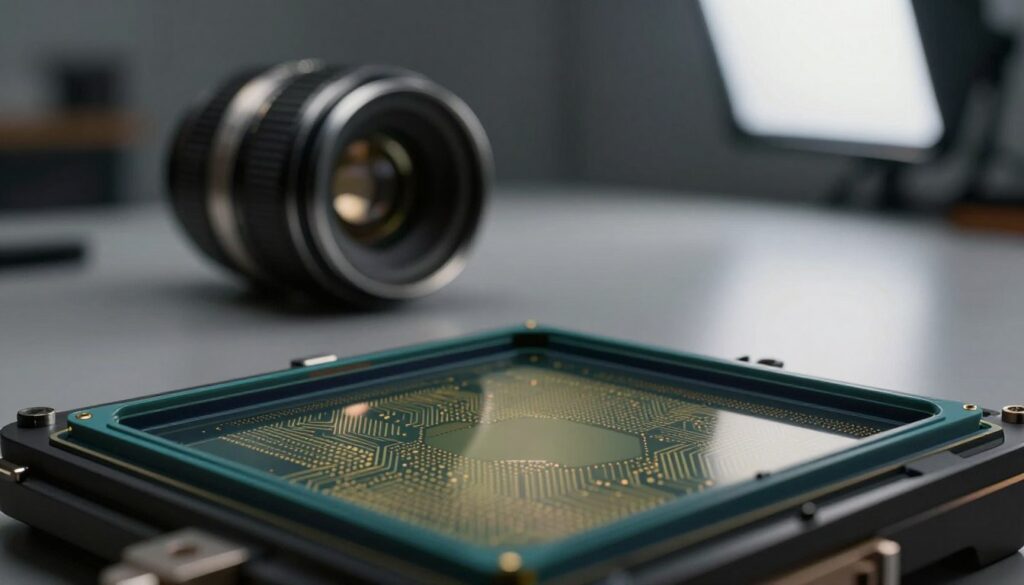
Pixel pitch controls sensitivity to diffraction. Small pixels sit closer to the diffraction limit sooner. That trims resolution even when a camera reports high megapixels.
I saw this with Canon gear: the EOS 20D showed softening past f/11, while the PowerShot G6 began to show effects near f/5.6. That is a clear example of how format and pixel layout shape final image quality.
“More megapixels do not guarantee more usable detail if the sensor hits the diffraction limit at common apertures.”
Recognize that light waves interact with each pixel. The physical size of those photosites sets a cap on achievable resolution. By matching aperture choices to sensor size, I keep image quality high across varied shooting conditions.
| Factor | Smaller sensor | Larger sensor |
|---|---|---|
| Typical onset of diffraction | Earlier (example: f/5.6) | Later (example: f/11) |
| Pixel pitch effect | Smaller pixels reach limit sooner | Larger pixels resist blurring longer |
| Practical tip | Use wider aperture for best quality | Stop down more for depth while retaining detail |
Practical Methods for Testing Your Personal Diffraction Limit
I run controlled aperture sweeps with my 55mm Micro Nikkor to find where fine detail starts to soften. I set the camera on a tripod and keep the scene unchanged so I can compare frames precisely.
Use a stable setup: mount the body on a solid tripod, use a remote or timer, and pick a detailed subject with texture or fine print.
My Nikon F801 lets me change shutter speed up to 1/8000, so I avoid tiny stops by altering speed instead. I shoot every aperture, from wide open down to very small apertures, then inspect at 100% on a high-res monitor.
- Test each stop and note where resolution falls.
- Try a long exposure with a neutral density filter instead of stopping down for depth field.
- Record the sensor size and pixel pitch that match your camera for future reference.
| Example stop | Typical result | Practical note |
|---|---|---|
| f/5.6 | High resolution | Good balance of depth and resolution |
| f/11 | Beginning softening | Depends on sensor size |
| Small apertures | Noticeable loss | Use ND filter or slower shutter |
“Testing showed me that the limit moves with each camera and setup.”
Final Thoughts on Achieving Maximum Sharpness
For landscapes I often prefer focus stacking over tiny stops to keep wide depth while avoiding softness.
I accept that aperture choices must match sensor size and pixels. The physical rule of diffraction sets a clear limit, but planning and tests help me work around it.
Prioritize quality optics and steady technique. I use long exposure, stacking, or wider stops when I need more resolution without losing depth.
Experiment with your own camera to find the sweet spot. When you know the limits, you make better choices and get images with higher lasting quality.
FAQ
Why do prime lenses often produce crisper images than zooms?
I find primes usually have simpler optical designs with fewer moving elements, which lets manufacturers correct aberrations more effectively. That means more contrast and detail across the frame at many apertures, especially wide ones like f/1.8 or f/2.8. In practical shooting, primes often deliver cleaner results for portraits and low-light work compared with a similarly fast zoom.
How does aperture choice affect depth of field and perceived detail?
Choosing a wider opening reduces depth of field, isolating a subject and making it appear sharper against a soft background. Stopping down increases the area that looks in focus, but after a certain point my images can lose fine detail because of wave effects at tiny openings. I balance subject separation and overall clarity by testing around f/5.6 to f/11 depending on the scene and sensor size.
What is the Airy disk and why does it matter for image resolution?
The Airy disk is the diffraction pattern produced when light passes through an aperture. It defines the smallest point a lens can form. If that disk becomes larger than a camera sensor’s pixel pitch, fine detail becomes blurred. I think of it as a physical limit: no matter how good the optics or sensor, waves of light set a threshold for resolving tiny features.
At what aperture does diffraction start to noticeably reduce image detail?
The exact stop depends on your sensor and pixel size, but many modern APS-C and full-frame cameras start showing effects around f/11–f/16. For high-resolution sensors with small pixels, diffraction can become visible as early as f/8. I recommend testing your own gear: shoot a resolution target or a distant detailed subject at a range of apertures to find your practical limit.
How do sensor size and pixel pitch influence the diffraction limit?
Larger sensors with bigger pixels tolerate smaller apertures before diffraction wins. Conversely, compact sensors with dense pixel arrays reach the limit sooner because each pixel samples smaller Airy patterns. I pay attention to pixel pitch specs: they help predict the aperture where detail will begin to soften from wave effects.
Can stopping down always improve overall image quality despite diffraction?
Not always. Stopping down reduces optical aberrations like field curvature and coma, which can boost perceived image quality up to a point. Beyond that point, diffraction blurs fine detail. I usually stop down only as far as needed to gain depth of field or correct aberrations, then avoid smaller openings that hurt resolution.
How should I test my camera’s diffraction limit at home?
I set up a tripod, pick a detailed subject at a distance, and shoot a series from widest usable aperture to very small stops in consistent light. Review crops at 100% to see where detail softens. Repeat with different focal lengths and focus distances. This hands-on check tells me the practical stop where wave effects begin to dominate for my camera and optics.
Does shutter speed or long exposure affect diffraction or apparent detail?
Shutter speed itself doesn’t change diffraction, which is an optical phenomenon tied to aperture and wavelength. However, long exposures can blur details from camera movement or subject motion, so I use proper stabilization, mirror lockup, and a remote release to ensure any softening I see comes from optics, not shake.
How do I decide the best aperture for landscape versus portrait work?
For portraits I tend to use wider openings to separate the subject and keep the face sharp while rendering the background smoothly. For landscapes I stop down for more depth of field but avoid the smallest stops that produce diffraction haze. In many cases f/5.6–f/11 gives the best balance for most formats.
Do newer high-resolution cameras make diffraction more of a problem?
Yes, higher pixel density means smaller pixel pitch, so the diffraction limit appears at wider apertures than on lower-resolution bodies. That doesn’t ruin image quality; it changes the working aperture range. I adapt by shooting at apertures that preserve detail and using focus stacking for extreme depth when necessary.
Are there practical workarounds to get maximum detail without hitting diffraction?
I use several tactics: choose an aperture before diffraction becomes limiting, focus-stack for extended depth with larger effective apertures, rely on tilt–shift optics for perspective control, and emphasize composition and lighting to enhance perceived detail. Post-processing sharpening must be subtle to avoid amplifying noise or artifacts.

Noah Sterling is a prime lens photographer and visual storyteller dedicated to capturing sharp, intentional imagery through fixed focal lengths. He shares practical insights on composition, depth, and lens choice, helping photographers master simplicity and achieve powerful, professional results.